
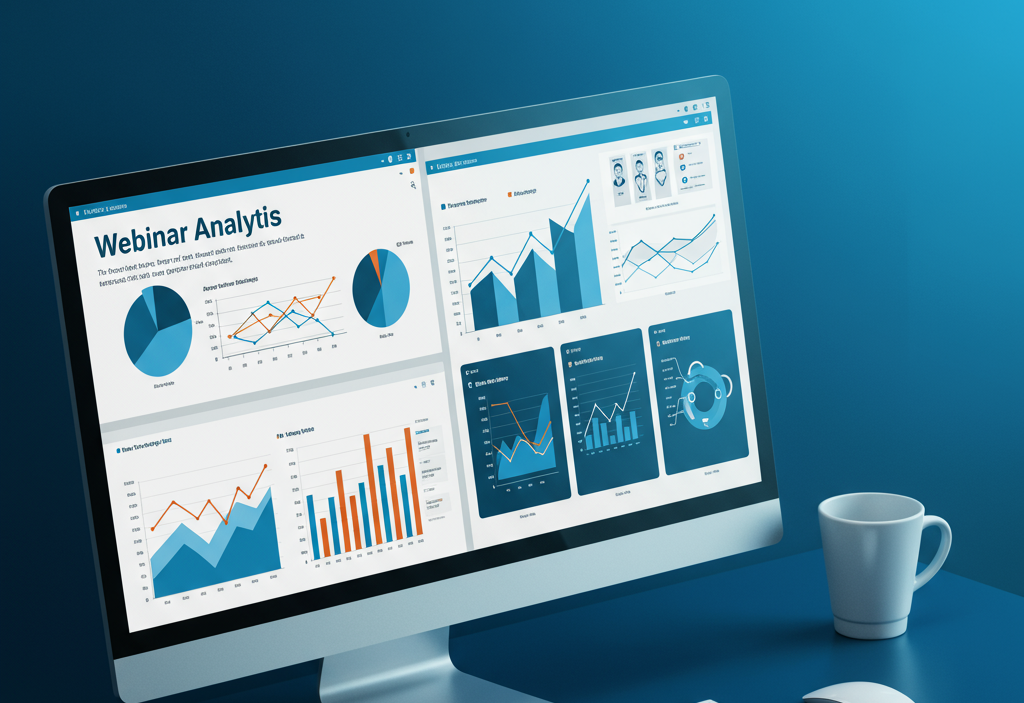
Webinar analytics help businesses improve performance by tracking registrations, attendance, engagement, watch time, and conversions. Using data from polls, Q&A, drop-off points, and integrated tools, marketers optimize content, timing, and follow-ups to boost engagement, ROI, and overall webinar success.
In today’s digital-first environment, webinars have become a powerful tool for engaging audiences, generating leads, and establishing thought leadership. However, with increased competition and evolving attendee expectations, simply hosting a webinar isn’t enough. To truly maximize the impact of your events, you need to dive deep into webinar analytics. By tracking key performance metrics, you can identify strengths, uncover areas for improvement, and make data-driven decisions for future webinars.
Key Webinar Metrics to Track

Registration vs. Attendance
The registration rate measures how many people signed up for your webinar, while the attendance rate reflects how many of those registrants actually joined live. A large gap between registrations and attendance can highlight issues in reminder emails, timing, or promotional messaging. Aim for at least a 40–50% attendance rate by sending timely reminders, offering calendar invites, and clearly communicating the value of attending live. Learn more about Webinar Marketing.
Attendance Rate
Beyond raw numbers, calculate the attendance rate as the percentage of registrants who tuned in. This KPI helps you gauge interest and the effectiveness of your reminder strategy. Compare attendance rates across different topics, days of the week, and time slots to identify your audience’s preferences.
Engagement Metrics
Monitoring engagement during the webinar is crucial. Track polls responses, Q&A interactions, chat messages, and emoji or reaction clicks. High engagement indicates that content resonates with attendees and keeps them involved. If engagement is low, consider refining your slide design, adding interactive elements, or encouraging more audience participation.
Poll Responses and Q&A Participation
Polls and Q&A sessions not only keep attendees engaged but also provide qualitative and quantitative insights. Analyze response rates and the types of questions asked to understand pain points, interests, and knowledge gaps. This feedback can guide future content and product development.
Average Watch Time and Drop-off Rate
Average watch time shows how long attendees stayed in your webinar, while the drop-off rate reveals when viewers left. Peaks and valleys in your attendee count timeline can point to sections that were especially compelling or dull. Use this data to tighten your script, improve pacing, and eliminate low-value segments.
Conversion Rate and ROI

Ultimately, you want your webinars to drive meaningful action—whether that’s signing up for a free trial, downloading a gated resource, booking a demo, or even making a direct purchase. To measure this impact, calculate your conversion rate by dividing the number of attendees who completed your desired action by the total number of attendees. This helps you understand how effective your content, calls-to-action, and overall webinar experience were at motivating next steps.
Beyond conversions, it’s essential to evaluate financial performance. Measure your return on investment (ROI) by comparing the revenue or value generated from the webinar against the total costs involved in planning, promoting, and hosting it. This includes software fees, speaker preparation time, creative materials, and any paid advertising used to drive registrations. Together, conversion rate and ROI provide a clear picture of the webinar’s true business impact, helping you refine future events and allocate resources more effectively.
Tools and Platforms for Webinar Analytics
Most webinar platforms offer built-in reporting dashboards with basic metrics like registrations, attendance, and duration. However, to gain deeper insights, consider integrating with third-party analytics tools or your CRM system. Google Analytics can track landing page performance, UTM parameters, and referral sources. Advanced marketing automation platforms let you visualize attendee journeys, segment audiences, and trigger follow-up sequences based on behaviour.
Best Practices for Data Collection
Accurate analytics start with consistent, reliable, and well-structured data collection. Begin by standardizing your registration forms so you consistently capture essential demographic or firmographic details such as job title, company size, or industry category. This helps you segment your audience more effectively later on.
Next, implement UTM tags on all promotional links—social posts, email campaigns, landing pages, and paid ads—to clearly identify which traffic sources are driving the most registrations and highest-quality attendees. These tags ensure every click is traceable back to a specific campaign or channel.
Within your webinar platform, make sure attendance and engagement events are timestamped and logged precisely, including join time, leave time, poll responses, and chat interactions. This level of detail enables deeper insights into participant behavior throughout the session.
Finally, export all captured data in CSV format so it can be imported into analytics tools, CRM systems, or dashboards. This makes it easier to conduct in-depth comparisons across marketing channels, identify trends, and refine your future webinar strategies based on accurate, actionable insights.
Analyzing and Benchmarking Performance
Case Study: Improving Attendance with Data-Driven Adjustments

One software company noticed its webinar attendance rate lagging at just 30%, far below industry benchmarks. To understand the problem, the team began analyzing registrant behaviour more closely. First, they segmented registrants by time zone and tested two different start times to see which worked better for their audience. Through this experiment, they discovered that a 6 p.m. time slot aligned more naturally with viewers’ schedules, leading to a significant 25% lift in attendance.
They didn’t stop there. The company also A/B-tested multiple reminder email subject lines to determine which phrasing generated stronger engagement. This simple tweak improved email open rates by 15%, which in turn contributed to an additional 10% increase in live attendance.
Overall, the case study demonstrates how minor analytical adjustments—such as refining timing, messaging, and segmentation—can create meaningful improvements in turnout. By continuously testing and optimizing small elements of their strategy, the company was able to achieve measurable gains in both engagement and overall webinar performance.
Turning Insights into Action

Gathering data is only half the battle; the real impact comes from using those insights to make practical improvements. When you notice engagement dropping during technical demos, consider shortening that portion, simplifying the explanation, or adding interactive elements like polls or live examples. If your analytics show a spike in drop-offs during the Q&A section, try moving it earlier in the session or breaking it into smaller segments to keep listeners engaged.
For attendees who registered but didn’t join live, use follow-up emails to reconnect them with value-driven content such as on-demand recordings, key takeaways, or bonus resources. Continuously refine every stage of your webinar strategy—from promotional messaging and timing to content flow and post-event nurturing. Over time, these small, data-informed adjustments help increase participation, boost engagement, and maximize the overall return on your webinar marketing efforts.
Conclusion
Webinar analytics transform your events from guesswork into strategic, data-driven experiences. By tracking key metrics—registrations, attendance, engagement, and conversions—you can pinpoint what works and what needs improvement. Using consistent data collection, the right tools, and benchmarking, you’ll refine your content, increase engagement, and boost ROI. With a continuous improvement mindset, your webinars will deliver stronger results and contribute more effectively to your overall marketing and business goals.
Frequently Asked Questions (FAQ)
1. What is the difference between registration and attendance in webinars?
Registration shows how many people signed up, while attendance reflects how many of those registrants joined the live session.
2. What is considered a good webinar attendance rate?
A strong attendance rate typically falls between 40–50%.
3. Why do webinars often have lower attendance than registrations?
Common reasons include poor reminder emails, inconvenient timing, unclear value, or audience forgetfulness.
4. How can I increase my webinar attendance rate?
Use reminder emails, add calendar invites, highlight the benefits of attending live, and promote the session consistently.
5. Does low attendance mean the webinar topic was weak?
Not always. It may be due to timing, poor promotion, or lack of urgency rather than the topic itself.





Webinar Analytics: A Complete Guide to Measuring Success and Improving Performance
The Ultimate Webinar Follow-Up Strategy to Turn Attendees into Customers
Webinar Accessibility Best Practices: How to Make Your Online Events Inclusive for All
Webinar Personalization: Tailoring Content to Audience Segments for Maximum Engagement